Speck™
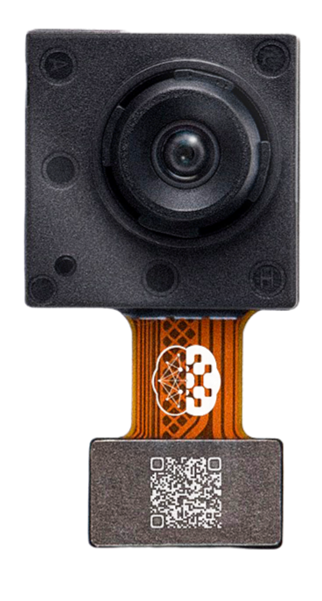
Speck™ is a fully event-driven neuromorphic vision SoC. Speck™ is able to support large-scale spiking convolutional neural network (sCNN) with a fully asynchronous chip architecture. Speck™ is fully configurable with the spiking neuron capacity of 320K. Furthermore, it integrates the state-of-art dynamic vision sensor (DVS) that enables fully event-driven based, real-time, highly integrated solution for varies dynamic visual scene. For classical applications, Speck™ can provide intelligence upon the scene at only mWs with a response latency in few ms.
The Speck™ from SynSense is available for benchmark in VLab through the Speck™ Development Kit, which incorporate the device.
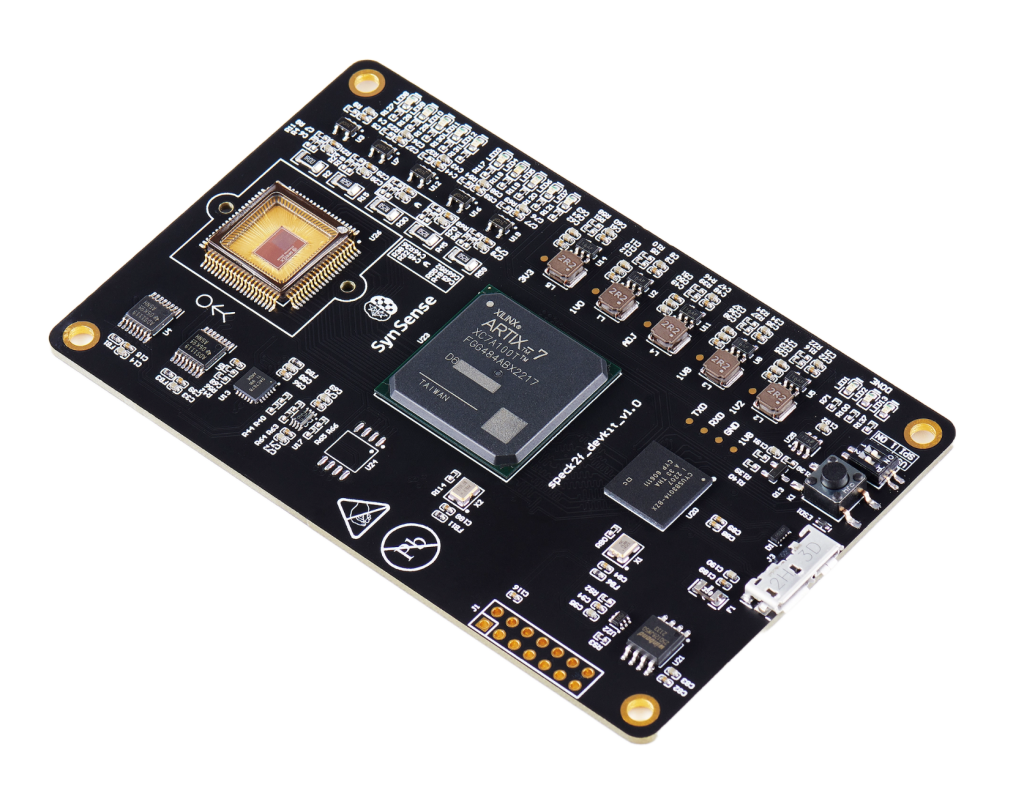
Benchmark
Through the Speck™ Development Kit, VLab users can deploy a PyTorch Spiking Neural Network (SNN) model together with a custom dataset, and perform inferences to collect metrics including spiking activity, latency, and power consumption.
For benchmarking purposes, the input from the Dynamic Vision Sensor (DVS) is bypassed and substituted with the user’s custom dataset.
Essentials
The model must be a PyTorch Spiking Neural Network (SNN) with a specified input shape, saved as a .pth file. The Sinabs Python package can be used to design SNNs.
import torch
import sinabs

cnn = torch.nn.Sequential(
    ...
)

snn = sinabs.from_torch.from_model(model=cnn, input_shape=(2,34,34), batch_size=4).spiking_model

torch.save({
    "model": snn,
    "input_shape": (2, 34, 34),
}, "snn.pth")
The dataset must be provided as a list of lists of DvsEvent objects, saved in a file with the .pkl extension. The Tonic library offers spiking datasets, and Samna is the Python package used to interface the Speck™ Development Kit with Python.
import tonic
import samna
import pickle

dataset = tonic.datasets.nmnistNMNIST(save_to="./NMNIST", train=False)

dataset_event_stream = []
for events, label in dataset:
    sample_event_stream = []
    for ev in events:
        dvs_ev = samna.speck2f.event.DvsEvent()
        dvs_ev.x = ev['x']
        dvs_ev.y = ev['y']
        dvs_ev.timestamp = ev['t'] - events['t'][0]
        dvs_ev.p = ev['p']
        sample_event_stream.append(dvs_ev)
    dataset_event_stream.append([sample_event_stream, label])

with open("dataset.pkl", "wb") as f:
    pickle.dump(dataset_event_stream, f)
Benchmark can be performed using these two files through the web UI, the dAIEdge- API, or the daiEdge-VLab python client interface.
The resulting metrics collected by VLab are the spiking activity, the inference time and the power consumption. The UI displays the spiking activity of the first sample only, and the overall board power consumption. Extanded results on spiking activity and power consumption are available through the daiEdge-VLab python client interface.
In our case, the SpeckDevKit is configured so that each layer of the model are automaticaly mapped to one of the 9 physical layer of the chip. In order to know this mapping, inspect the result["report"]["chip_layers_ordering"] variable. Moreover, layer 13 is always the input data.
[...] # execute a benchmark using daiEdge-VLab python client

result = api.waitBenchmarkResult(benchmark_id)

report = result["report"]
chip_layers_ordering = report["chip_layers_ordering"]

raw_bytes = result["raw_output"]
buffer = io.BytesIO(raw_bytes)
raw_output = np.load(buffer, allow_pickle=True)

spiking_activity = raw_output['spiking_activity']
power_monitoring = raw_output['power_monitoring']
The spiking activity of the last layer allow get the predicted label and therefore to calculate the accuracy of the model.
In depth
The implementation of the bencharming process in VLab is available in the SpeckDevKit target repository. This provide user with full visibility into the configuration of the Speck™ Development Kit, the python packages used and their repective versions, and the methods used to measure and calculate metrics, enabling fully transparent benchmarking. Additionally, it shows the expected input files formats and the formats of the resulting outputs.