VLab Architecture
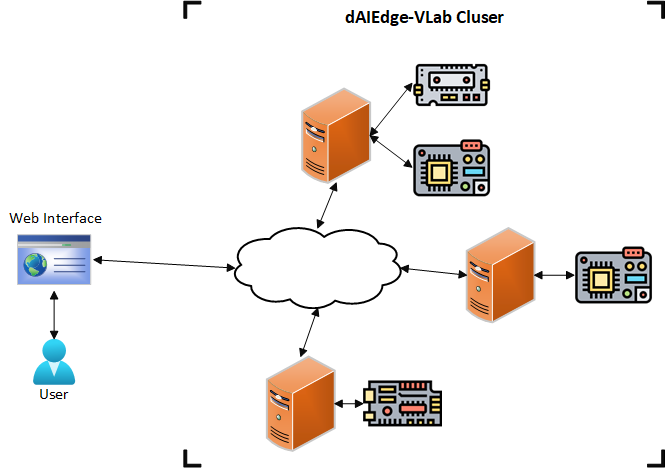
This section describes the of the ditributed VLab archtiecture, its components and their interaction. The following diagram provides an overview of the architecture, it is composed of main components:
- User : The end-user who interacts with the dAIEdge-VLab through the web interface or the API.
- Host: The host machines that are connected to the targets, run the benchmarking jobs and the different services needed to maintain the dAIEdge-VLab. One or more host machines run the API and the web interface, while others are dedicated to run the benchmarks and act as entry points for the dAIEdge-VLab.
- Target: The hardware boards that are connected to the host machines and run the actual benchmarks.
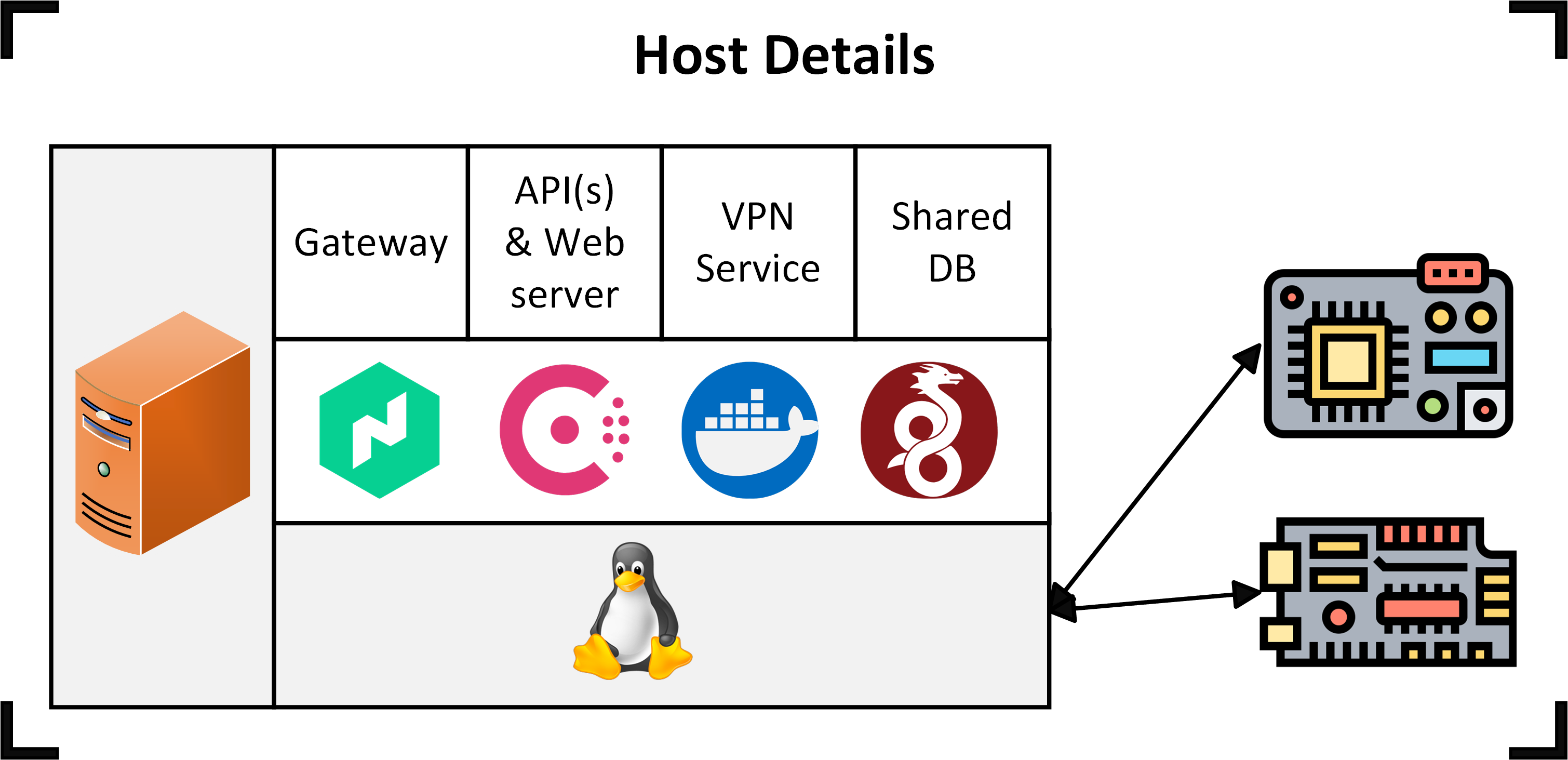
The following diagram descibes in more detail the host structure and components:
- Host: The physical host machine
- Linux OS: The operating system running on the host machine, based on a Linux distribution.
- Software tools: List of the software tools installed on the host machine :
- Wireguard: The VPN service used to connect the host machine to the dAIEdge-VLab cluster.
- Nomad: The job scheduler used to run the benchmarks and services on the host machine.
- Consul: The service discovery tool used to discover the services running on the host machine.
- Docker: The containerization tool used to run the benchmarks and services in isolated environments.
- Docker container: The container running the benchmarks and services on the host machine. It is based on a Docker image that is pulled from the target repository. The following services can run in the Docker container:
- VPN Service: This job is running on every node of the dAIEdge-VLab. It is used to connect the host machine together via a VPN tunnel. This jobs maintains and update the wireguard configuration file to ensure that the mesh network is always up to date.
- API(s): The different APIs that can run on the host machine to provide key functionalities to the dAIEdge-VLab. The APIs are used to interact with the dAIEdge-VLab and provide the necessary data to the web interface and the benchmarks.
- Web interface: The web interface service that provides the user interface to interact with the dAIEdge-VLab.
- Gateway: The gateway service that provides the entry point to the dAIEdge-VLab.
- Shared DB: This is a service that provides a shared database for the dAIEdge-VLab. It is used to store data linked to the mesh VPN nework and other data that needs to be shared between the host machines.
- Benchmarking jobs: The pipeline that runs the benchmarks and generates the reports.
Web interface
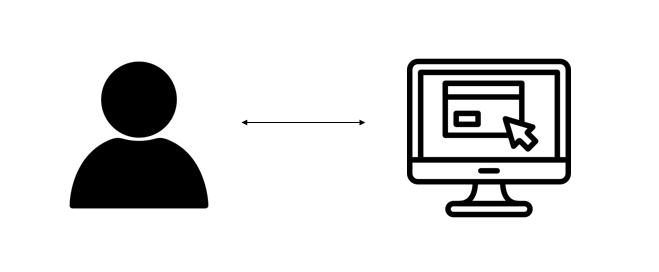
At the top level of its architecture, the dAIEdge-VLab provides a benchmarking solution to end-users through a web interface. Using the interface, users can run some inference beanchmark using only random data. A benchmark requires that the user upload one pre-trained model, select a target, select an inference engine available for the target, and launch benchmark accordingly. The results will display after the benchmark is done.
For a deeper understanding, we recommend familiarizing yourself with the web interface.
dAIEdge-VLab API
The main API is used by the web interface to interact with the dAIEdge-VLab. It provides the necessary endpoints to launch benchmarks, retrieve results, and manage the targets. This API provide much more functionalities than what is accessible through the web interface. It gives access to perform inference benchmark with a specific dataset, benchmark on-device training capabilites, and more.
Target and host machine
At the lower level of the architecture, hardware boards —referred to as targets— are configured to enable model benchmarking. A target must be able to run inferences for the previously uploaded model and collect some performance metrics, this could involve the installation of an inference engine such as TFLite or ONNX Runtime.
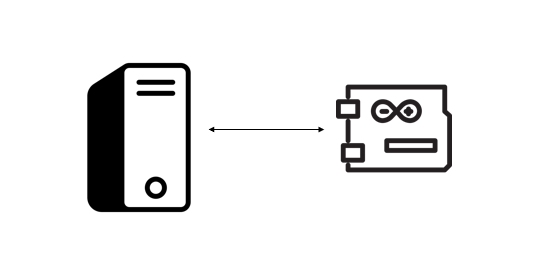
To execute the necessary scripts for running VLab benchmarking steps, a target is connected to a host machine on which the scripts are executed.
For targets that cannot support the installation of benchmarking tools natively, such as MCUs, the host gather the metrics from the target and generates benchmark report.
Target repository
The scripts for running VLab benchmarking steps are not stored directly on the host machine but reside in a separate GitLab repository, referred to as the “target repository”. When a benchark is executed, the target repository is cloned onto the host machine and the scripts are executed.
Since the benchmarking process is the same for all targets, the target repository follows a strict folder structure.
The implementation of these scripts is target-dependent and must be customized according to the target you wish to integrate.

dAIEdge-VLab Benchmarking Job
At the mid-level of the architecture, launching a benchmark with a specific configuration (model, inference engine, target) create a Nomad batch job with the corresponding variables/tags (model, inference engine, target). This job is a general pipeline that can sequentially execute the benchmarking scripts of any target that follows the target folder structure. It resides in a docker image, but when a benchmark is launched, the job runs on the host machine of the specified target.
Checkout the dAIEdge-VLab benchmark pipeline script for a better undertanding.

Nomad and Docker container
All the host are running Nomad to create a cluster. Each target available on a given host is described in a configuration file that specify the available runtime, supported benchmark type and other target specific values. Nomad then use this configuration file to advertise all the specific target to the rest of the cluster. This allows the leader of the cluster to schedule job on the available target and to know if the ressource is busy or not.
When a benchmark is triggered. The leader of the Nomad cluster will autmatically select an available target that match the constraints descibed in the job and schedule the benchmark job on it. Once the job is started, the base image that contains the benchmarking pipeline is used. This container then uses the Docker image specified in the target configuration file to execute the different scipts. The dAIEdge-VLab benchmarking job execute the scripts described in the target repository.
Docker Image
Finally, the target specific docker image contains all the scipts and all the environment dependencies needed to run the scripts. The scipts can be automatically pulled from the target repository if the necessary credentials are provided in the target configuration file. The image can be created either manually or through the CI/CD pipeline within the target repository.

Benchmark lifecycle
Let’s have an overview of the interactions between the elements of the architecture during the benchmarking process.
- An end-user launches a benchmark from the web interface, providing a pre-trained model, an inference engine, and a target.
- The configuration and file provided by the user are sent to the dAIEdge-VLab API.
- The API creates a Nomad batch job with the provided configuration and file and submits it to the Nomad cluster.
- The Nomad leader schedules the job on an available target that matches the constraints.
- Nomad pulls the docker image with the banchmarking script execution pipeline and starts a Docker container on the host machine.
- Nomad pulls the files provided by the user from the API and stores them in the Docker container automatically.
- The Docker container pulls the target docker image and target repository (if not already in the docker image), then it runs the benchmarking scripts using the environement variables infered by the Nomad job.
- The bechmarking scripts sends the model onto the target device, benchmark it, post process the data and generates the appropriate artifacts. The artifacts.
- Then, once the benchmark is done, the artifacts are sent back to the API.
- The API stores the artifacts (on the shared DB or the Blockchain) and makes them available to the user through the web interface.