Speck™
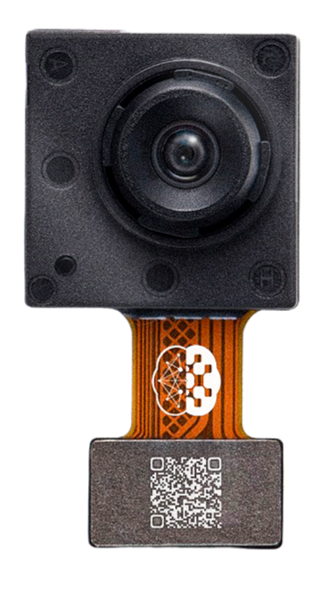
Speck™ is a fully event-driven neuromorphic vision SoC. Speck™ is able to support large-scale spiking convolutional neural networks (sCNN) with a fully asynchronous chip architecture. Speck™ is fully configurable with a spiking neuron capacity of 320K. Furthermore, it integrates the state-of-the-art dynamic vision sensor (DVS) that enables fully event-driven based, real-time, highly integrated solution for various dynamic visual scenes. For classical applications, Speck™ can provide intelligence upon the scene at only mWs with a response latency in a few ms. - Sinabs
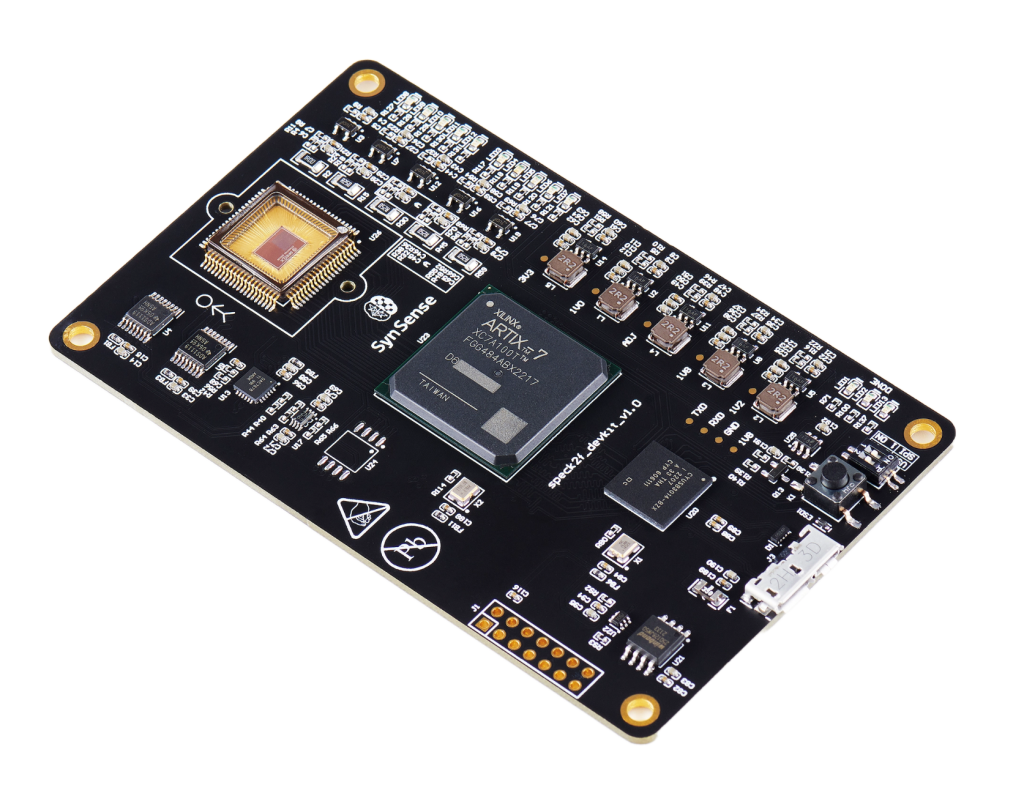
The Speck™ from SynSense is available for benchmarking in the VLab through the Speck2f DevKit.
Limitations
Working on the speck2f has its fair share of limitations which include, but are not limited to:
Sinabs
Model architecture
- torch.nn.Sequential definition
- max input dimension : 128x128
- max output map size : 64x64
- max channel number : 1024
- weight resolution : 8 bits (INT8)
- Neuron state resolution : 16 bits (INT16)
- Max convolutional kernel size : 16x16
- Stride step : 1, 2, 4, 8
- Padding : 0->7
- Sumpooling : 1x1, 2x2, 4x4
- Fanout : 2
Operations
- Conv -> ReLU -> (opt.)Pooling
- torch.nn.modules
- nn.Conv2d
- nn.AvgPool2d
- nn.Linear
- nn.Flatten
- sinabs.layers
- IAFSqueeze
- SumPool2d
- neuron leaking (bias) is possible but not recommended
Speck2f DevKit
Devkit limitations
- Memory Constraints (320K neurons)
- # of sinabs layers (each mapped to a core, up to 9 cores)
All the needed information can be found on the sinabs overview and architecture page as well as the possible operations for model conversion.
Benchmark
Through the Speck™ Development Kit, VLab users can deploy a PyTorch Spiking Neural Network (SNN) model together with a custom dataset, and perform inferences to collect metrics including spiking activity, latency, and power consumption.
For benchmarking purposes, the input from the Dynamic Vision Sensor (DVS) is bypassed and substituted with the user’s custom dataset.
Comparisons
Neuromorphic chips process information through event-driven spikes, activating computation only when needed rather than continuously. This brain-inspired approach reduces energy consumption and enables more efficiency compared to traditional microcontrollers.
| Latency (ms) | Power Consumption (mW) | Efficiency (mWs) | |
|---|---|---|---|
| STM32L4R9 | 62.87 | 219.74 | 13.8 |
| STM32H7A3 | 14.49 | 665.68 | 9.6 |
| Speck2f | 299.13 | 0.69 | 0.2 |
This comparison was done on a model trained for the NMNIST dataset and converted to ONNX to be benchmarked using targets present inside the VLab
Making the Speck2f:
- ~48x more efficient than the STM32H7A3
- ~69x more efficient than the STM32L4R9
Essentials
Model Architecture/Conversion
The model must be a PyTorch Spiking Neural Network (SNN), saved as a .pth file. The architecture of the model must be explicitely defined using Torch.nn.Sequential and can be converted to a spiking model using the Sinabs Python package.
import torch.nn as nn
from sinabs.from_torch import from_model

cnn = nn.Sequential(
    ...
)
input_shape = [C, H, W]

snn = from_model(model=cnn, add_spiking_output=True, batch_size=1).spiking_model
torch.save(snn, "snn.pth")
Since the input shape cannot be extracted from the model, the user needs to specify it when running the benchmark, this can be done through parameters.
Dataset
The dataset must be provided as a list of lists of DvsEvent objects, saved in a file with the .pkl extension. The easiest way is to pickle a subset (or mini-batch) of the benchmarking dataset. The Tonic library offers spiking datasets and Samna can be used to interface with the Speck™ Development Kit.
Important: If a transform is used for the dataset, make sure it is not ToFrame, as it could break the conversion
from tonic.datasets.nmnist import NMNIST
import samna
import pickle

dataset = NMNIST(save_to="./dataset", train=False) # testing dataset

dataset_event_stream = []
for events, label in dataset:
    sample_event_stream = []
    for ev in events:
        dvs_ev = samna.speck2f.event.DvsEvent()
        dvs_ev.x = ev['x']
        dvs_ev.y = ev['y']
        dvs_ev.timestamp = ev['t'] - events['t'][0]
        dvs_ev.p = ev['p']
        sample_event_stream.append(dvs_ev)
    dataset_event_stream.append([sample_event_stream, label])

with open("dataset.pkl", "wb") as f:
    pickle.dump(dataset_event_stream, f)
Launching the Benchmark
A benchmark for this target can only be performed using the dAIEdge-VLab API, since it requires the user to provide a dataset and this option is not available through the Web UI
api = dAIEdgeVLabAPI("setup.yaml")

benchmark_id = api.startBenchmark(
    target = "speck2fdevkit",
    runtime = "speck",
    model_path = MODEL_SAVE_PATH,
    dataset = DATASET_SAVE_PATH,
    parameters = parameters,
    inference_number = 50
)

result = api.waitBenchmarkResult(benchmark_id)
Benchmark Results
Once the benchmarking process complete, the resulting metrics collected by VLab are obtained inside the report (result["report"]). This report is a JSON object containing different values and metrics measured throughout the benchmark. Some of these values are: "model_size", "parameter_count", "accuracy" and "latency".
They can be viewed by going through the non-null keys
report = result["report"]

# Observing every metric available
for key in report.keys():
    if key is not None:
        print(f'"{key}" : {report[key]}')
Samna automatically maps each layer of the Neural Network to one of the 9 physical cores of the chip, in order to know this mapping, inspect the result["report"]["chip_layers_ordering"] variable.
NOTE: The pre-processing layer (layer 13) is not included inside this count
It also informs if the model is too complex or heavy for the chip. If this happens, the benchmark is not performed on the target device and is cut short and the report is not generated. Best practice would be to read the user and error logs found in result["user_log"] and result["error_log"].
if report is None:
    print(result["error_log"])
    print(result["user_log"])
    raise RuntimeError("Something went wrong while benchmarking model")
In-Depth
The implementation of the benchmarking process in VLab is available in the SpeckDevKit target repository. This provides users with full visibility into the configuration of the Speck™ Development Kit, the python packages used and their respective versions, as well as the methods used to measure and calculate metrics, enabling full transparency of the benchmarking process. Additionally, it shows the expected input file formats and the formats of the resulting outputs.
Going Further
Some metrics cannot be obtain using the VLab benchmarking, like synaptic operations and effective MACs & ACs. If those metrics are of utmost importance, there exists a benchmarking harness called Neurobench, but will require manual setting and configurations. The inferences can be run on the target locally, as long as the user has it, or can be run on the cpu, but latency values won’t represent real on-device metrics.
For this, they also provide documentation for their API